Security posture
Small Business Security Posture Audit: Microsoft 365, Email, and Devices
Learn what a small business security posture audit should prove across Microsoft 365 identity, Exchange Online email, and Windows and macOS devices.
A small business security posture audit needs to answer three practical questions: How could someone get in? What could they reach? Would anyone notice?
Microsoft 365 identity and Exchange Online are central to those questions, but they are not the whole environment. Company data also lives on Windows and macOS devices. A tenant can be well configured while the laptop used to access it is unencrypted, out of support, or missing from management altogether.
The result of an audit should be useful work: evidence of what is exposed, an agreed order for fixing it, and a way to confirm that the fixes worked. A score can summarize that work. It cannot replace it.
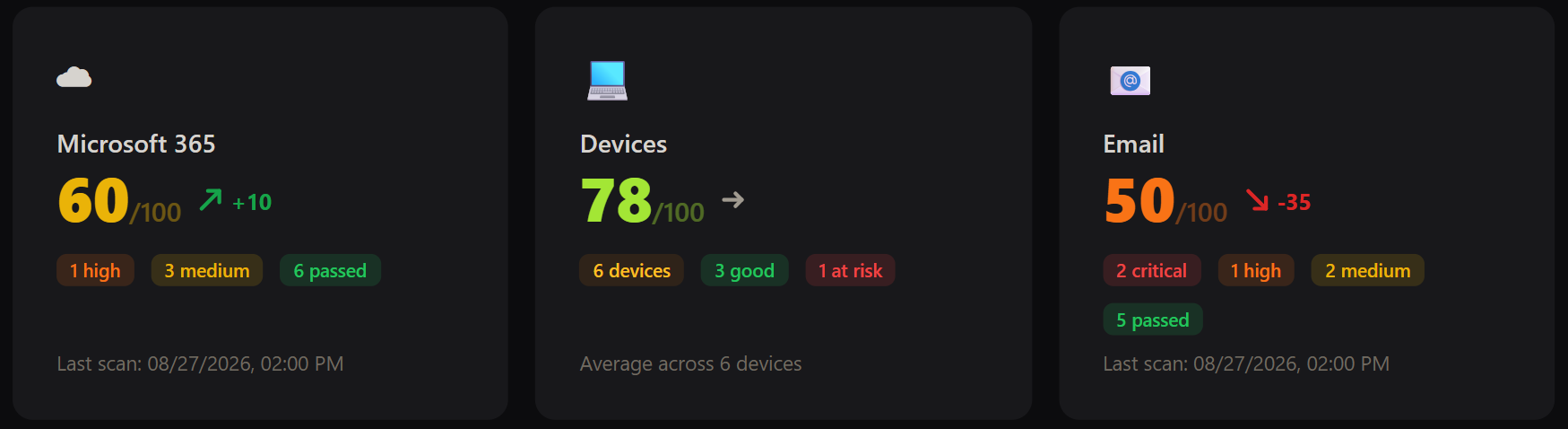
What the audit should cover
A useful first pass covers five broad areas:
- Authentication and privileged access
- Persistent access and external sharing
- Effective email protection and alerting
- Device encryption, support, and inventory
- Logging, recovery, and reassessment
These are starting points, not five boxes to tick once and forget. Each area still needs current evidence and a clear view of who or what is covered. The evidence available will depend on the organization’s Microsoft licensing, device-management coverage, and how recently each device has reported.
Why checking settings is not enough
The individual controls are not secret. Microsoft and Apple document them in detail. The hard part is working out what actually applies to this organization, today.
Consider a Conditional Access policy called “Require MFA.” The name sounds reassuring. It tells you nothing about whether the policy is enabled, which users and applications it covers, or who has been excluded. The same problem appears elsewhere: an email policy may exist without covering all recipients, and an encryption policy may be assigned to a laptop that stopped reporting months ago.
So, for each important area, look past the setting itself:
- Who and what does it cover?
- Are there exclusions, and does anyone still own them?
- Is the evidence recent?
- Could another policy change the effective result?
- How will you test the fix?
If those answers are missing, the configuration describes an intention, not necessarily the current security posture.
Start with the paths an attacker would use
A useful audit should not begin by working alphabetically through an admin portal. Start with the shortest paths to account takeover and persistence.
First, establish whether strong authentication is enforced for users, administrators, and guests. Check for older authentication paths, excessive admin access, risky application permissions, and exclusions that no longer have a clear purpose.
Next, look at what happens after an account is compromised. Can mail be forwarded outside the company? Can a third-party application keep reading data through OAuth consent? Are anonymous sharing links or stale accounts still active? These are ordinary business features, so the answer is rarely “disable everything.” The goal is to make powerful access deliberate and reviewable.
Email deserves its own pass. Filtering is a chain of policies, assignments, exceptions, domain authentication, and alerts. Seeing a security policy in the portal does not prove that it protects the intended people. It also does not prove that someone will be notified when a compromised account starts sending suspicious mail.
Then review the devices that hold or access company data. Strong identity and email security does not compensate for an unencrypted laptop, an unsupported operating system, or a disabled local firewall. Include approved personal devices and anything outside the normal management platform; missing devices are part of the finding.
Finally, check whether the organization could investigate an incident and recover administrative access. Relevant logs need to exist, remain searchable long enough to be useful, and cover the activity being reviewed. Emergency access needs to work during the failure it was designed for.
Three places where the detail changes the answer
These examples are not a complete audit. They show why a settings inventory and a posture assessment produce different results.
MFA can be registered but never required
An authentication-method report can show a second factor next to every employee. That is useful, but it does not show which sign-ins actually require MFA.
Check the enforcement method, policy state, scope, guest treatment, and exclusions. Separate active policies from report-only policies. Emergency accounts should be deliberately excluded and monitored; ordinary user accounts should not collect permanent exceptions because of old support cases.
The useful question is simple: Which sign-ins can still succeed without MFA, and why? Our guide to MFA registration and enforcement explains what evidence to verify. Microsoft’s Conditional Access guidance covers the recommended scope and a safe rollout.
External forwarding may depend on more than one policy
After taking over a mailbox, an attacker can forward invoices and payment conversations to an external address. The outbound spam policy is an important control, but it is not the only one involved.
Microsoft documents that Automatic - System-controlled can behave differently between organizations because of a change made in 2021. Remote-domain settings and mail-flow rules can also affect the final result. Reading one value and marking the issue closed is not enough.
Record the effective forwarding decision, approved exceptions, and any forwarding currently visible in reporting. Microsoft’s external forwarding documentation explains how the controls interact.
An encryption policy is not an encrypted fleet
A laptop can be covered by a BitLocker or FileVault policy without actually being encrypted. A device may also disappear from the inventory while continuing to access company data.
For reporting devices, confirm the current encryption state. Identify stale and missing devices separately. Recovery matters too: an authorized person should be able to retrieve the key for a representative machine without placing recovery material in the audit report.
Microsoft publishes guidance for BitLocker, and Apple documents FileVault deployment. Those guides explain configuration. Your inventory still has to show which machines are actually covered.
A finding needs an owner, not just a severity
A useful finding says what was observed, who or what is affected, and why it matters to the business. It also names the person responsible for the change, the person who can accept disruption or residual risk, and the evidence needed to close the work.
Keep prioritization plain. Fix exposed entry points and persistence paths first. Schedule changes that need user communication or a maintenance window. Put hardening and cleanup into a third group, with dates, so they do not become a permanent “later” list.
Do not close a finding because someone clicked Save. Policies take time to propagate, devices miss check-ins, and a change can have the wrong scope. Test the intended result and keep the new evidence.
Posture drifts quietly
Users leave, guests remain, applications receive new consent, email policies gain exceptions, domains change, and laptops stop reporting. None of those events looks like a security project on its own. Together, they make last year’s audit unreliable.
For an MSP, repeating this work manually across client tenants quickly becomes the problem. The value is not another list of settings. It is a consistent way to gather evidence, spot the gaps that matter, explain them to a client, and return after remediation to verify the result. PosturIQ for MSPs is built around that recurring assessment and reporting workflow.
PosturIQ performs supported read-only assessments across Microsoft 365 identity, Exchange Online email security, and reporting Windows and macOS devices. It prioritizes findings and provides remediation guidance, while the administrator or MSP remains in control of every change.
Check your security posture
Find identity, email, and device security gaps with read-only checks and clear remediation guidance.
Start free trial